Native app for iPhone and iPad
YouTube Music that keeps playing when you lock your phone
Open YouTube Music's website inside anyPWA on iPhone or iPad. Listen with built-in ad blocking and keep your music playing while you use another app or turn the screen off.
- Ad blocking for the YouTube Music website
- Background and locked-screen playback
- Play and pause from the Lock Screen and Control Center

Free for one saved website, including ad blocking and playback.
Getting started
Set up YouTube Music in anyPWA
The screenshots show iPhone. Follow the same steps on iPad. Tap a screenshot to enlarge it.
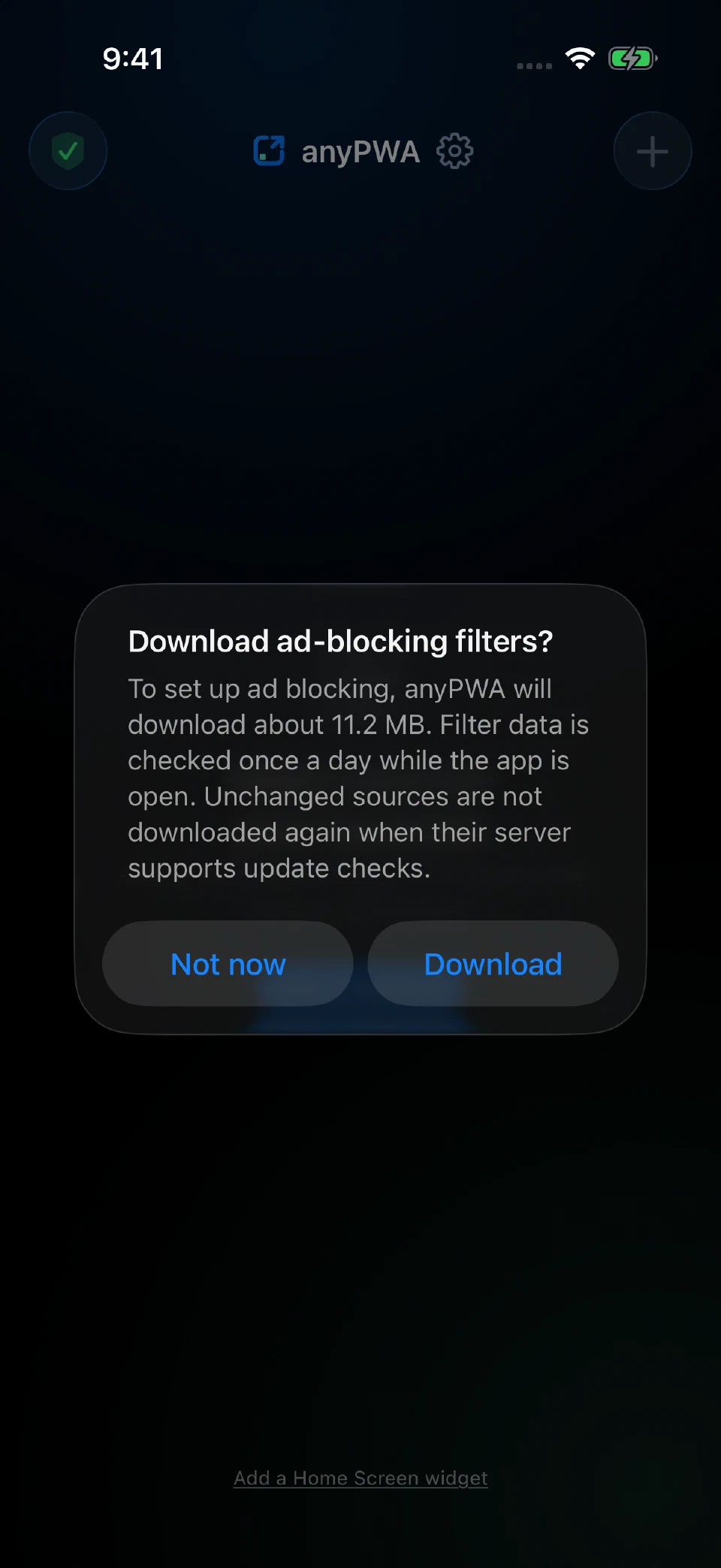
Install and download filters
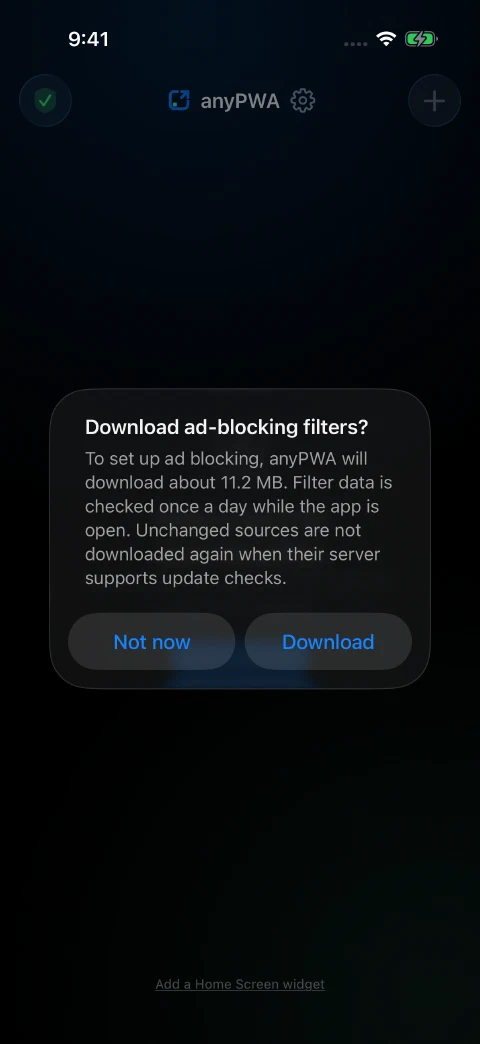
Install anyPWA from the App Store and open it. If it asks to download ad-blocking filters, tap Download. Let the download finish before opening YouTube Music.
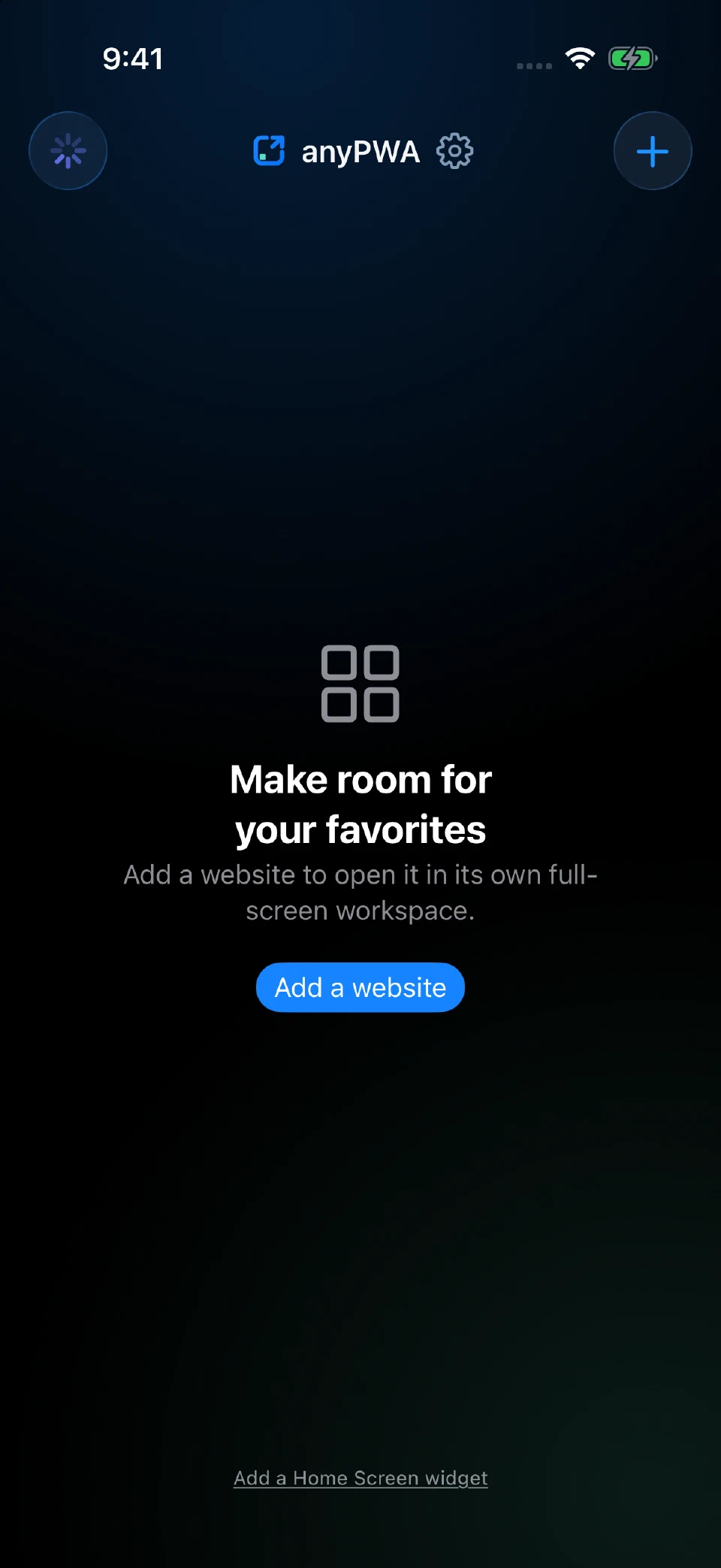
Add a website
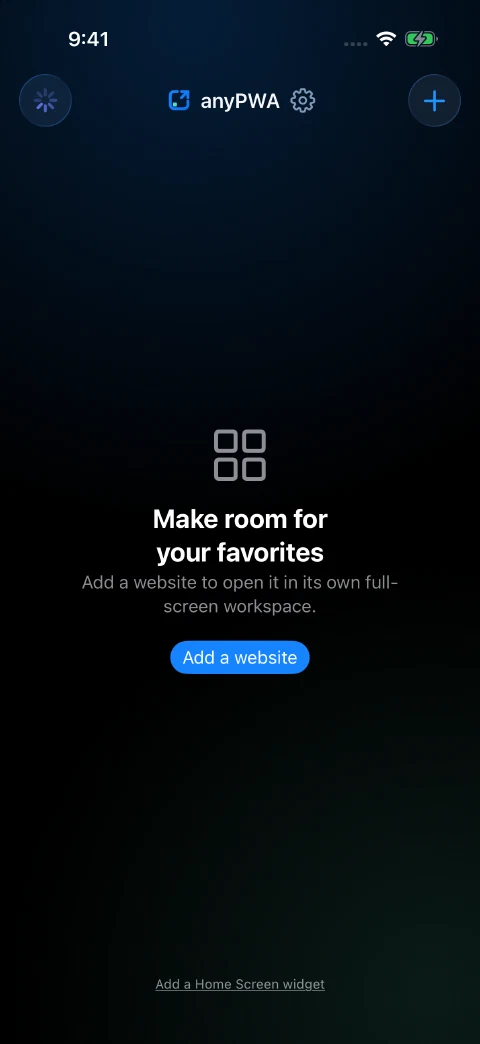
Tap + at the top right of the library to open Add website. In an empty library, you can also tap the blue Add a website button.
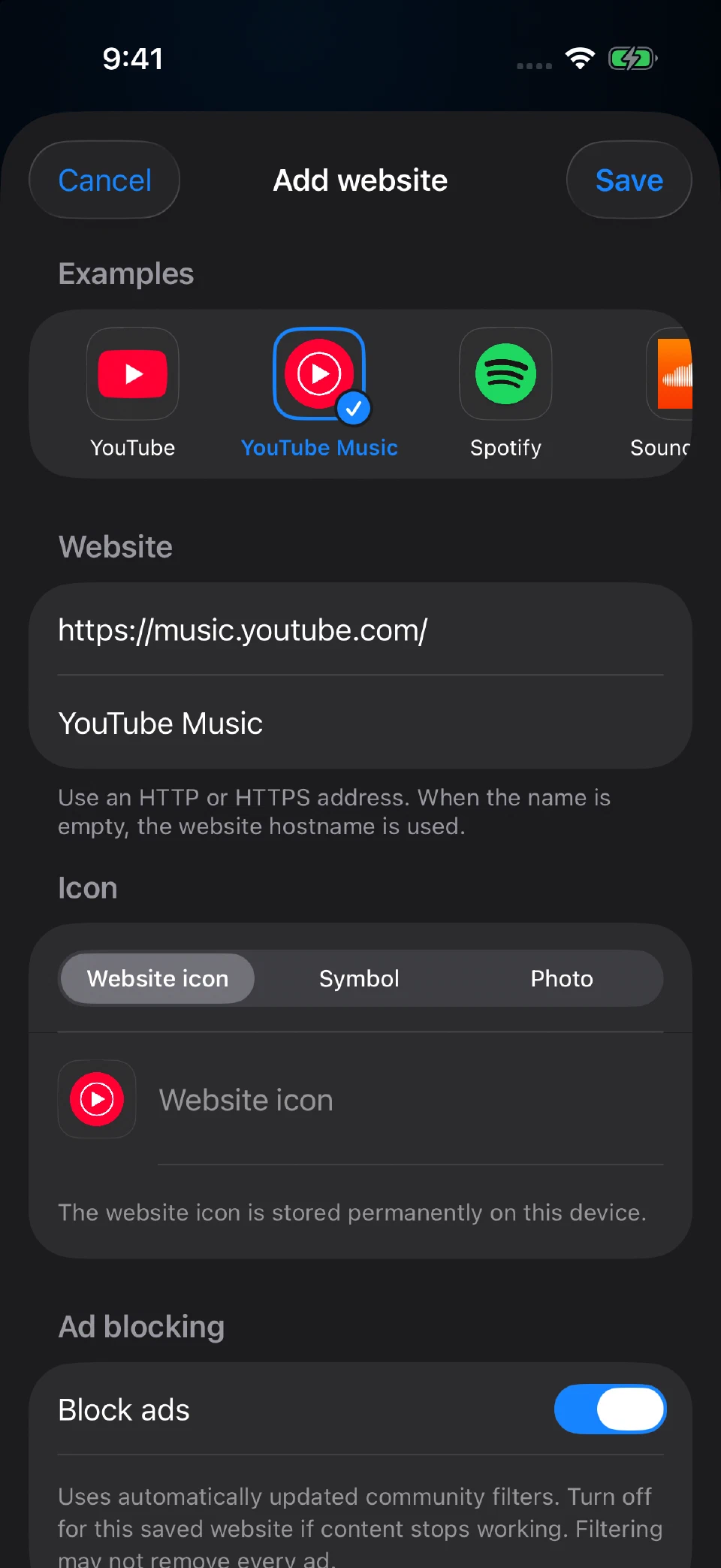
Choose YouTube Music and save
Tap YouTube Music under Examples. anyPWA fills in the name, address and icon. Leave Block ads on, then tap Save.
You can also enter
https://music.youtube.com/manually.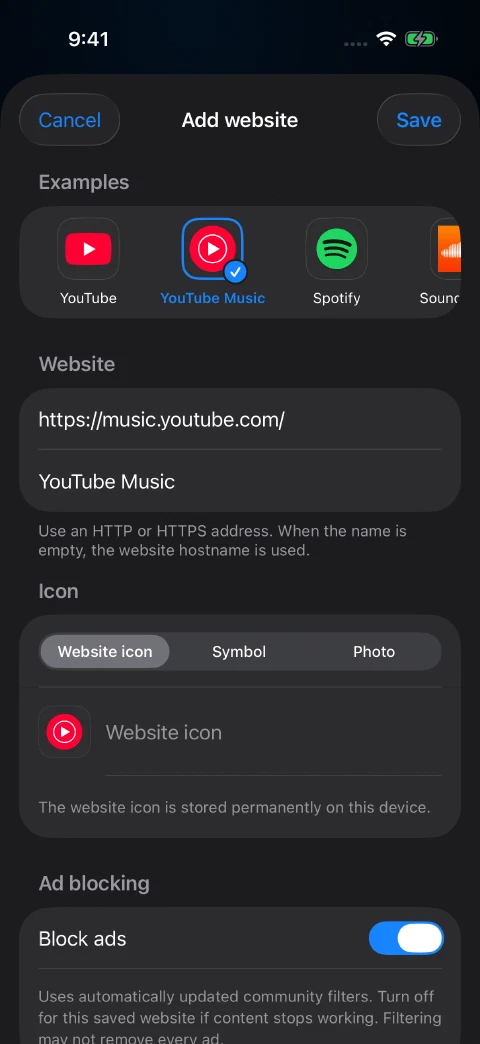
Open YouTube Music and sign in
Tap YouTube Music in your anyPWA library after saving it. Sign in on the website with your Google account to access your music library and playlists. anyPWA does not require an account of its own.
Each saved website has its own sign-in. If you also added YouTube, sign in to YouTube Music separately even if you use the same Google account for both.
Start a song and keep listening
Find a song, album or playlist on YouTube Music’s web interface and start playback. You can then switch to another app or lock your iPhone or iPad while the music keeps playing.
Use play and pause on the Lock Screen or in Control Center. Your music streams from YouTube Music, so you still need an internet connection.
Keep YouTube Music separate from YouTube
The two services have separate examples in Add website. Choose YouTube Music for music.youtube.com and YouTube for youtube.com. Each gets its own tile in your library.
One saved website is free. If you want both services saved as separate entries, use the one-time unlock for multiple websites.
Questions
Does this install or modify the YouTube Music app?
YouTube Music runs as a website inside the native anyPWA app. You use the web interface and sign in directly with Google.
Does anyPWA include YouTube Music Premium?
anyPWA does not include a YouTube Music Premium subscription. It provides its own ad blocking and background playback for the website. Other account features remain part of Google’s service.
Why am I being asked to sign in again?
The saved YouTube Music website has separate cookies and storage from Safari, the YouTube Music app and other entries in anyPWA. Your existing sign-in in those apps is not shared with it.
What if ads appear or something stops working?
Touch and hold the YouTube Music tile and choose Edit to check Block ads. The icon at the top left of the library shows filter status. If a website feature stops working, you can temporarily turn blocking off for this entry.
Website changes can affect compatibility. Contact anyPWA support if you need help, including your device model and what happened.
Use YouTube Music as your free website
One saved website is free, including ad blocking and playback features. A one-time in-app purchase unlocks multiple saved websites and library rearranging. There is no anyPWA subscription.
The websites have their own accounts and services. anyPWA does not include a paid subscription to YouTube Music.
Get anyPWA on the App Store