
For iPhone, iPad and Mac

Turn any website
into an app.

anyPWA is a native iPhone and iPad app that opens websites fullscreen, without the browser's bars. It blocks ads, keeps audio playing when the screen is off, and adds Picture in Picture to videos. Choose YouTube, YouTube Music or Spotify to get started, or add any website. Your first saved website is free.

Also at home on macOS. Open your web apps in native window tabs and keep your music playing while you work. Available on Macs with Apple silicon.

Download on the App Store
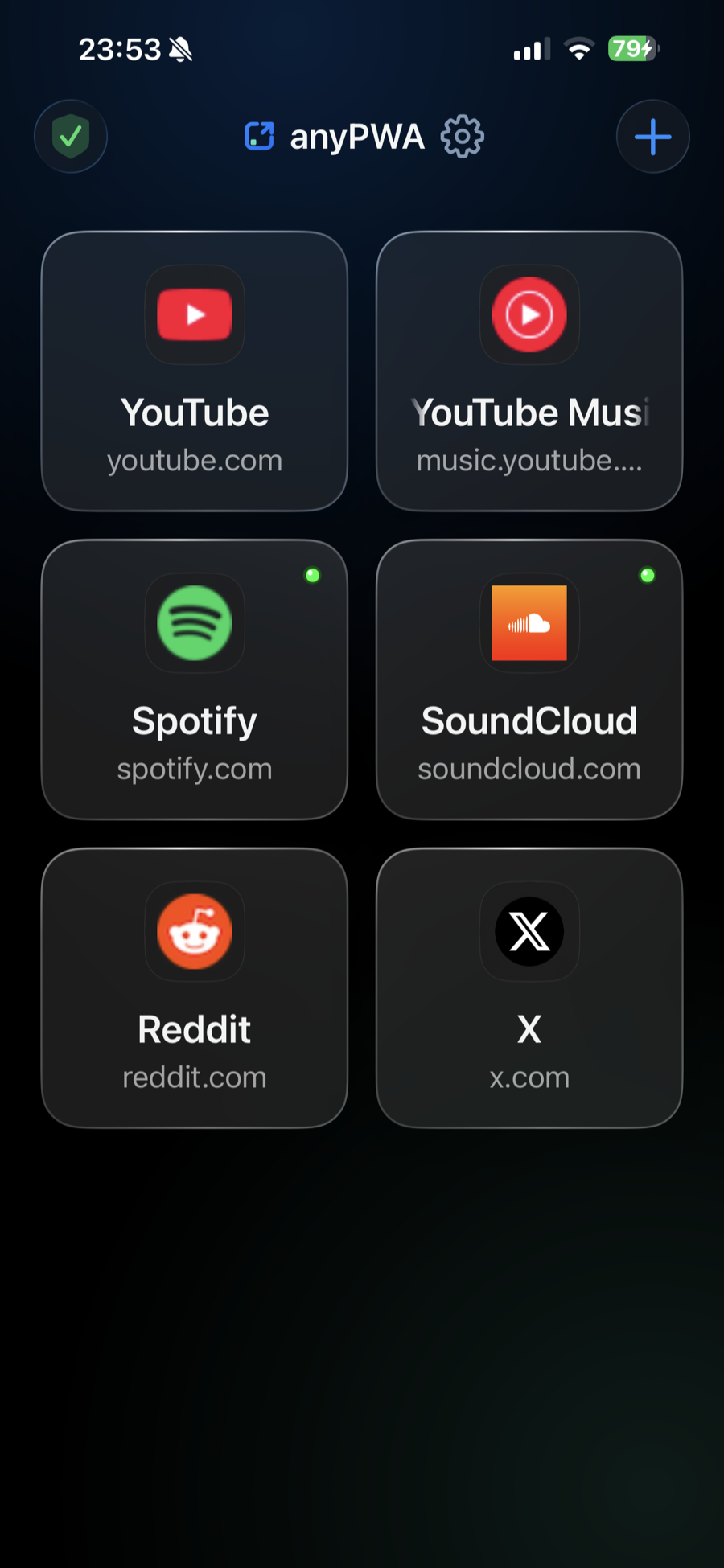
anyPWA library with saved web apps

Dinner, interrupted

No ads.
Screen off.
Music on.

Keep YouTube and Spotify playing without ads, even with your screen off.

Download on the App Store

Compatibility

Tested with YouTube, YouTube Music and Spotify

You can add any website. YouTube, YouTube Music and Spotify get the most testing because they are in daily use.

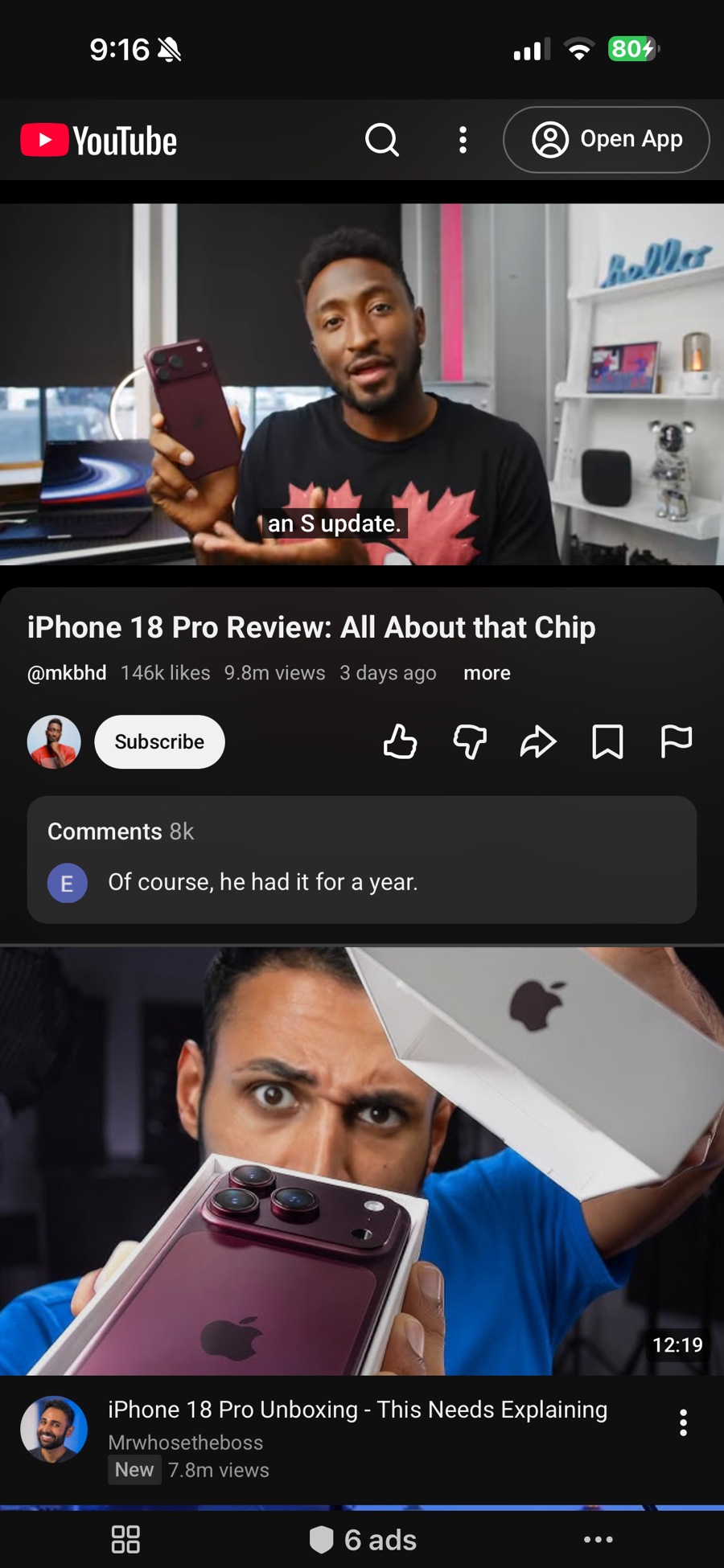
YouTube running in anyPWA

YouTube

Videos play without ads, with Picture in Picture and playback that continues after you lock the phone.

  • No video or audio ads
  • Picture in Picture
  • Keeps playing in the background and with the screen locked
  • Play and pause from the Lock Screen and Control Center

With Media Controls · Optional one-time purchase

  • Hide YouTube Shorts
  • Audio-only playback and video quality
  • Separate Wi-Fi, cellular and background preferences
Get anyPWA on the App Store Set up YouTube
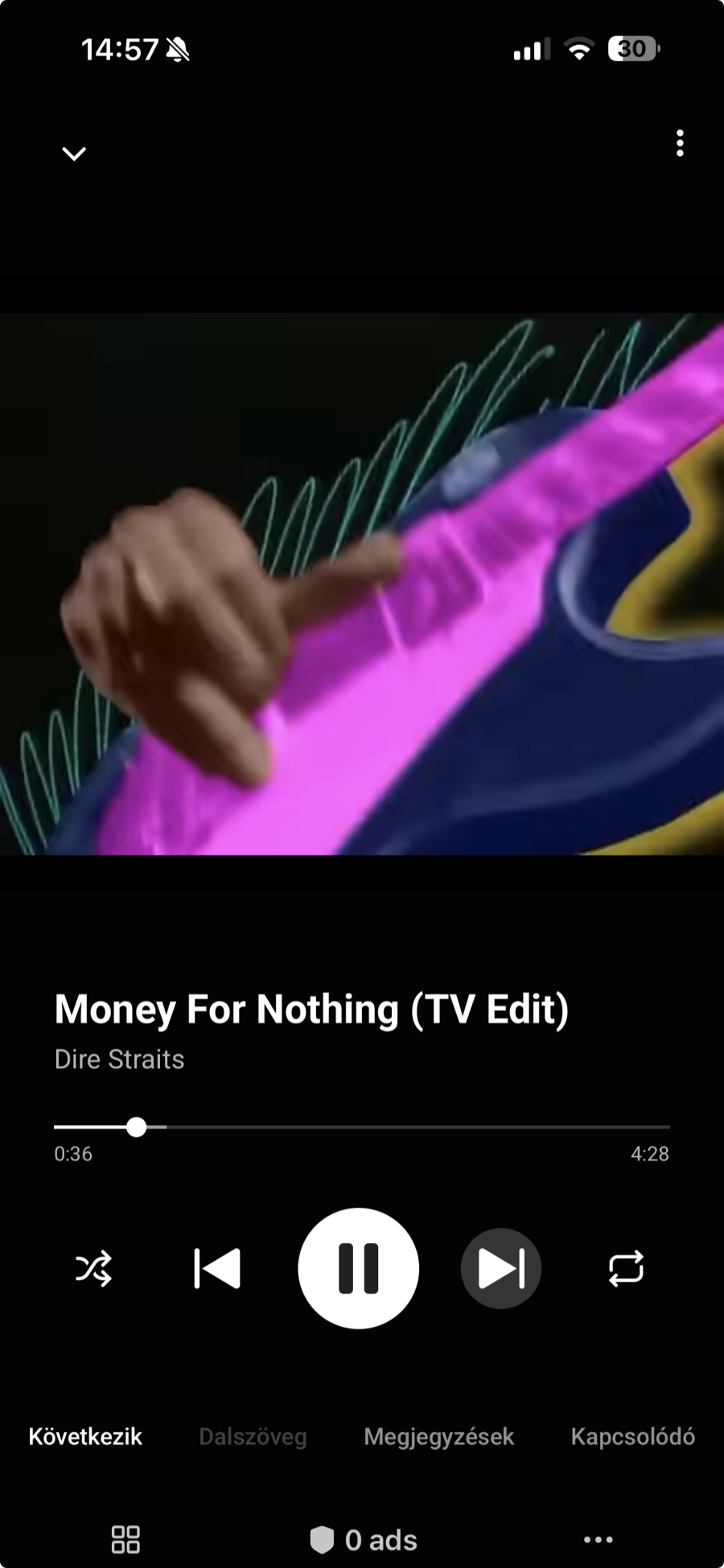
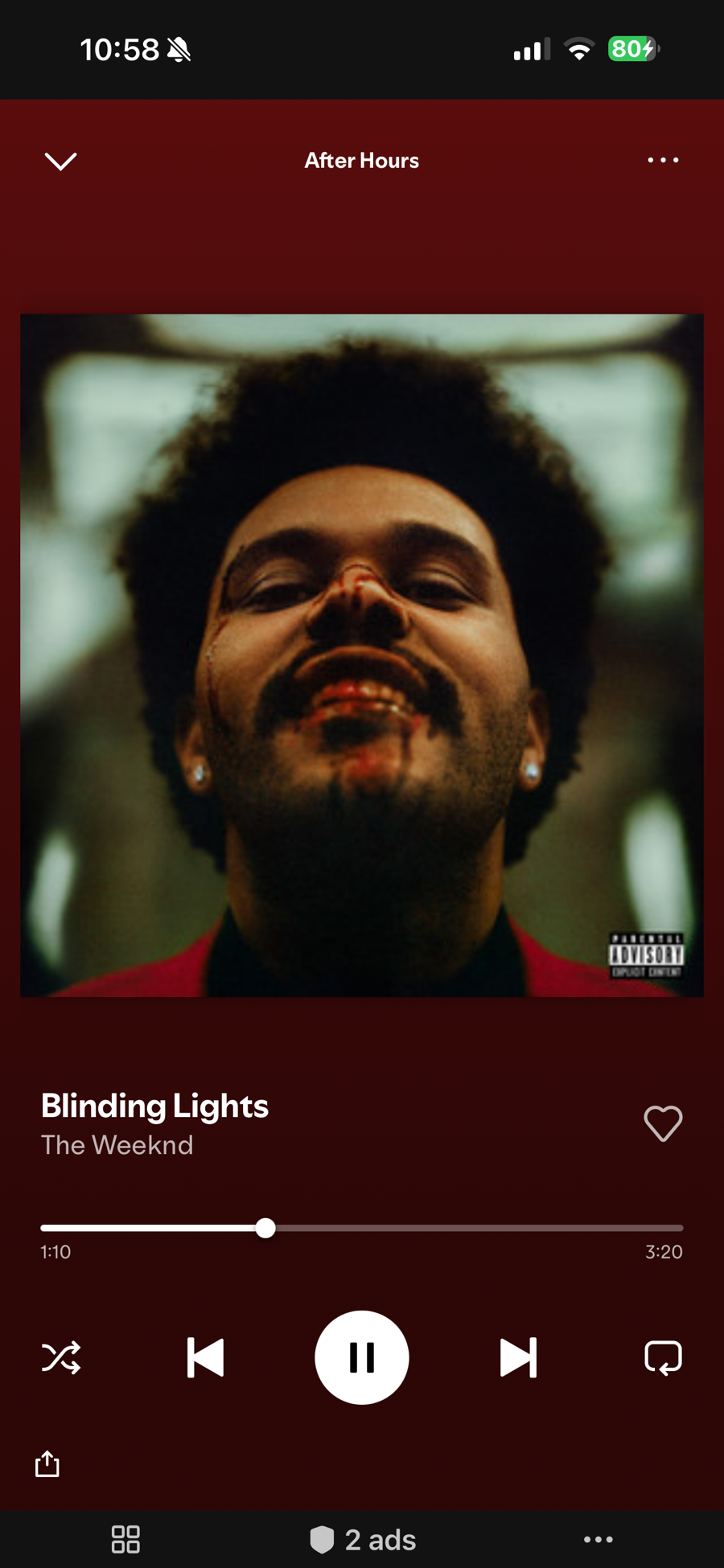
YouTube Music playing Money For Nothing by Dire Straits in anyPWA

YouTube Music

Use the free YouTube Music web player with built-in audio ad blocking. Keep listening on your commute, with your phone locked or while you use another app.

  • No audio ads
  • Keeps playing in the background and with the screen locked
  • Play and pause from the Lock Screen and Control Center
  • A separate web app for your YouTube Music account

With Media Controls · Optional one-time purchase

  • Audio-only playback and video quality
  • Separate Wi-Fi, cellular and background preferences
Get anyPWA on the App Store Set up YouTube Music
Spotify running in anyPWA

Spotify

The free Spotify web player, without the audio ads and with working track controls.

  • No audio ads
  • Next and previous track work, not only shuffle
  • Tap any track to play it
  • Keeps playing in the background and with the screen locked
  • Play and pause from the Lock Screen and Control Center
  • Also plays on Macs with Apple silicon
  • Browse whole albums
Get anyPWA on the App Store Set up Spotify

Media Controls · Optional one-time purchase

Choose how your videos and music play

Playback preferences for YouTube and YouTube Music websites opened in anyPWA.

Keep the music. Use less mobile data.

Listen to the audio without loading the video stream on your commute or your next road trip. A still thumbnail appears while the music plays. Streaming still needs an internet connection.

Hide YouTube Shorts
Hide Shorts from YouTube’s feeds and navigation. Turn it on separately for each saved YouTube website.
Audio only or video
Save your preferred playback mode for each website.
Video quality
Choose Automatic or a quality from 144p to 1080p, where available.
Wi-Fi and cellular profiles
Use audio only on cellular and keep video on Wi-Fi, or set up each connection your own way.
Audio only in the background
Watch video while the app is on screen, then switch to audio when you leave the app or lock your phone.

Touch and hold a saved YouTube or YouTube Music tile and choose Media Controls. You can also open it from the browser controls during playback and make a temporary change for that session.

How to set it up

Media Controls includes Hide Shorts for YouTube, with no additional purchase for existing Media Controls owners. Ad blocking, background playback and Lock Screen controls are included with your free saved website.

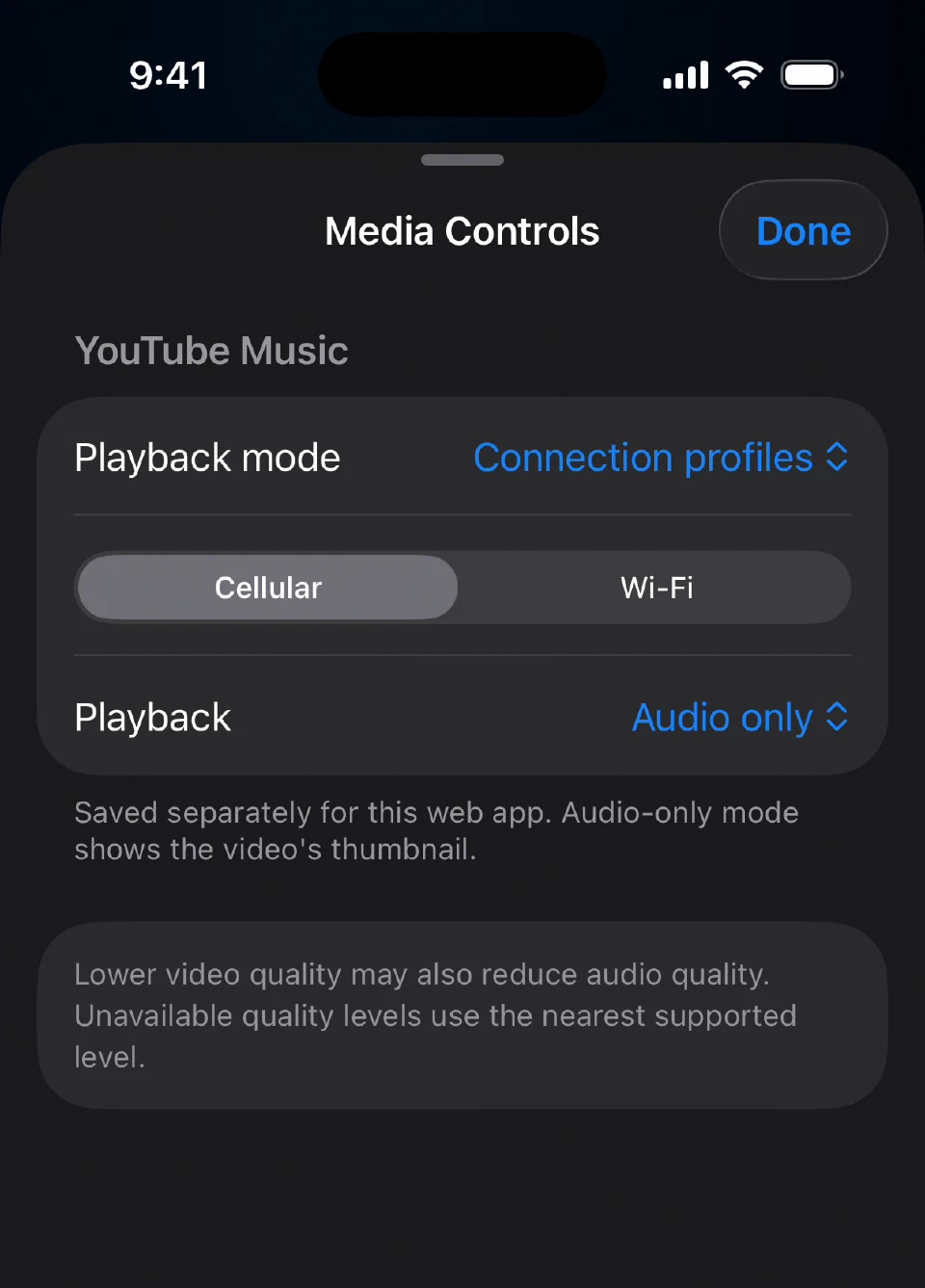
YouTube Music Media Controls with its saved Cellular profile set to Audio only

YouTube Music's saved cellular profile, set to Audio only.

Features

What it does

Ad blocking

Block ads and hide empty ad spaces with automatically updated community filter lists. Includes video and audio ad blocking on YouTube, YouTube Music and Spotify. Turn blocking off for any website.

Fullscreen

The site fills the whole screen. Back, reload and the other controls stay hidden until you open them.

Background audio

Audio keeps playing when you switch apps or lock the screen. The title and the play/pause button show up in Now Playing.

Picture in Picture

Videos get a Picture in Picture button, so you can keep watching while you use other apps.

Separate logins

Each saved app has its own cookies and storage. Add the same site twice to stay signed in to two accounts.

Apps stay open

Going back to the library doesn't close the page, so it is where you left it when you return. A green dot marks the apps that are still running.

iPad windows and Mac tabs

Open websites in separate windows on iPad and use them side by side. On Macs with Apple silicon, keep websites in native window tabs named after your saved entries. Spotify playback works on Mac too.

Your library

anyPWA finds each website’s name and icon when you add it. Change either to make it yours. The Unlimited Websites purchase also lets you rearrange your library.

No anyPWA account

Your saved websites and sign-ins stay on your device. anyPWA has no analytics or tracking of its own. The websites you visit have their own privacy practices.

Text size and page zoom

Make text easier to read or scale the entire page. Save both settings separately for each website, including YouTube, YouTube Music and Spotify. Changes apply immediately.

Home Screen widgets

Open your saved web apps straight from the Home Screen. Choose a single app, a pair, a favorites grid or a featured favorite, then pick the apps and their order.

Your own Home Screen icons

Coming in 1.5: use Apple Shortcuts to create a separate icon with each saved website’s own name and image. Tap it to open that website directly in anyPWA. The icon helper requires iOS 18 or later.

Pricing

Free for one app

Add your first web app for free.

Ad blocking, background playback and Lock Screen controls are included.

Unlimited Websites
A one-time purchase for multiple saved websites and library rearranging.
Media Controls
A separate one-time purchase for video quality, audio-only playback and Wi-Fi, cellular and background preferences on YouTube and YouTube Music, plus Hide Shorts for YouTube.
There is no anyPWA subscription. Both purchases support Family Sharing. See the App Store for local prices.